
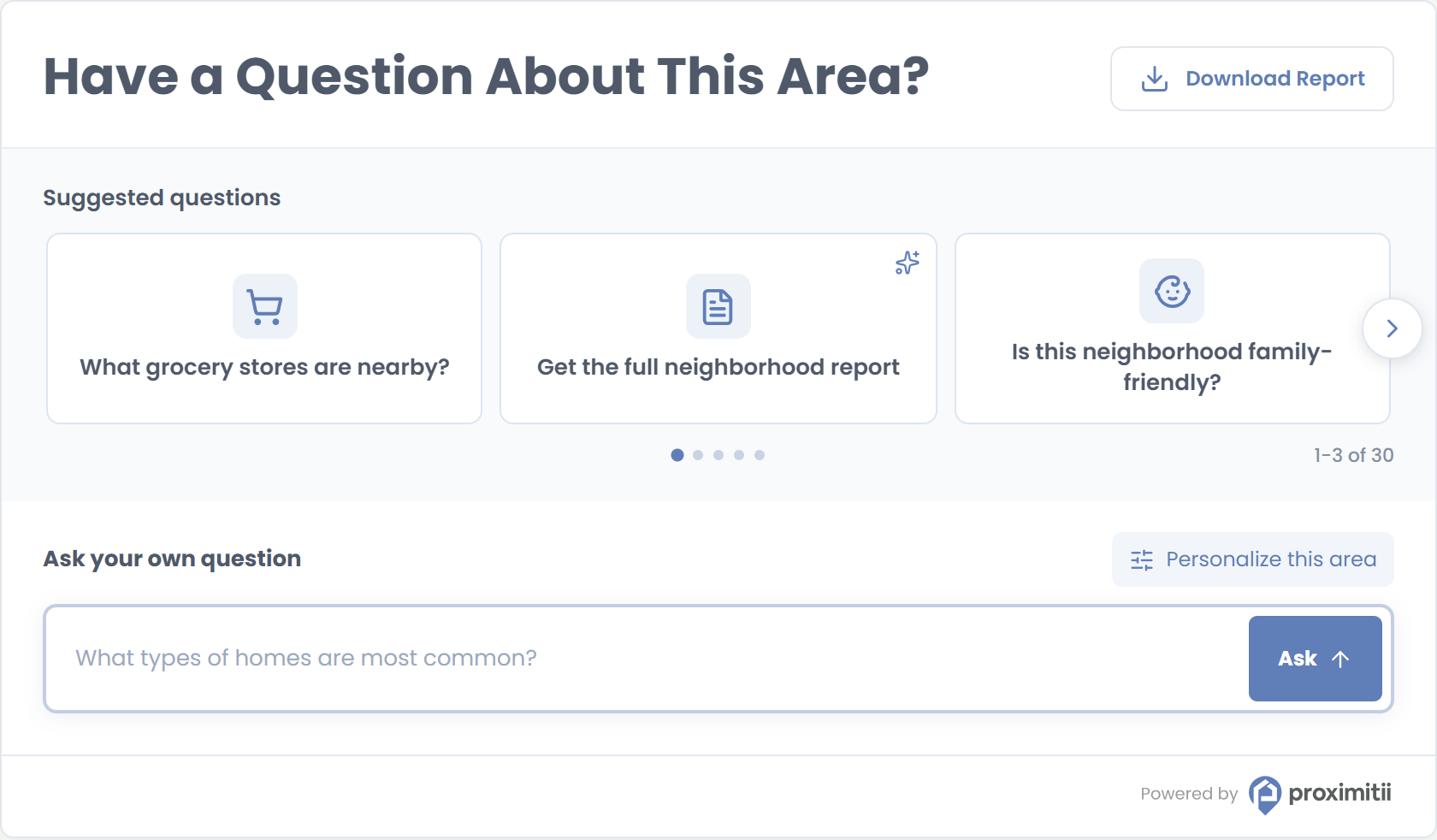
The Ask Proximitii Widget lets visitors explore a location through suggested questions or ask their own. It provides location-specific answers about nearby places, schools, demographics and everyday life, with an optional Download Report button.
Installation
Add the container and widget script to your page. Replace the widget key and coordinates with your own values.
<div id="prox-ask-proximitii"></div>

<script src="https://widget.proximitii.com/v1/core/proximitii-widget.js?v=ask-104"></script>
<script>
ProximitiiWidgets.askProximitii({
  container: 'prox-ask-proximitii',
  widgetKey: 'PUT_YOUR_WIDGET_KEY_HERE',
  lat: 40.778832684988224,
  lon: -73.98103168840414
});
</script>
Always provide a valid widgetKey, lat and lon. All other settings are optional and use the defaults below.
Customization
Pass optional settings in the ProximitiiWidgets.askProximitii configuration object.
Location and Content Options:
| Name | Description | Default Value | Accepted Values | Variable / Function |
|---|---|---|---|---|
| Container | ID of the element where the widget renders. | N/A | Valid element ID | container |
| Widget Key | Your public widget key. | N/A | Valid widget key | widgetKey |
| Latitude | Center latitude. | N/A | -90 to 90 | lat |
| Longitude | Center longitude. | N/A | -180 to 180 | lon |
| Radius | Local search radius in metres. | 500 | 100 to 6,400 | radius |
| Country | Country dataset for the location. | us | us or ca | country |
| Title | Heading above the questions. | Have a Question About This Area? | Text, up to 50 characters in the sandbox | title |
| Title Font Size | Heading size. | 30px | 10px to 50px | titleFontSize |
| Audience | Tailors the question experience to the intended visitor. | general | general, homebuyers, renters | audience |
| Show Suggested Questions | Shows or hides the suggested question cards. | true | true or false | showSuggestedQuestions |
Appearance Options:
| Name | Description | Default Value | Accepted Values | Variable / Function |
|---|---|---|---|---|
| Show Border | Shows or hides the widget border. | true | true or false | showBorder |
| Map Style | Sets the map presentation used in the widget. | light | light, bright, modern, baseline | mapStyle |
| Primary Color | Main brand color. | #607eb8 | Hex color | primaryColor |
| Secondary Color | Secondary panel color. | #f8fafc | Hex color | secondaryColor |
| Font Family | Widget font. | Poppins, sans-serif | CSS font family | fontFamily |
| Box Style | Widget container styling. | shadow | shadow or flat | boxStyle |
Download Report
The report button has three modes. The default referral mode opens the Local Insights report flow. Use lead to show a short contact form in the widget, or hidden to remove the button. Set the mode with data-download-report on the container.
| Mode | What visitors see | Container setting |
|---|---|---|
referral (default) | Download Report button linking to Local Insights. | No attribute needed |
lead | Download Report button with a contact form. | data-download-report="lead" |
hidden | No Download Report button. | data-download-report="hidden" |
For example, to use lead mode, replace the container in the installation code with:
<div id="prox-ask-proximitii" data-download-report="lead"></div>